

Description
Download Air Comic Viewer AD APK – comic viewer, manga reader, image viewer, Android app, free comic app, digital comics, comic book reader, manga app, comic streaming, comic viewer app, digital manga, comic reader, comic book viewer, manga reader app, comic app, free manga app, image viewer app, digital comic viewer, comic streaming app, comic reader app
Overview
Air Comic Viewer [AD] is a dedicated Android application designed for viewing digital comics, manga, and image files. It serves as a lightweight yet functional tool for users who want to access their personal comic collections on mobile devices. The app supports both local file browsing and streaming from a computer running Air Comic Server, making it suitable for users with large libraries stored on external drives or networked systems. It is particularly useful for readers who enjoy manga and comic books in various formats and prefer a clean, intuitive interface. The app is free to download and use, with an optional in-app purchase to remove advertisements. Target users include casual readers, manga enthusiasts, and individuals managing digital archives of comic content. It is optimized for modern Android devices and supports both left-to-right and right-to-left reading layouts, catering to a wide range of content types, including Western comics and Japanese manga. The developer, M. H. S. (MHS), has focused on simplicity and accessibility, ensuring that users can quickly load and navigate through their files without technical barriers. Real-world usage scenarios include reading on the go, organizing personal collections, and streaming content from a home server.
Key Features & Capabilities
- Multi-format support – Reads ZIP/CBZ and RAR/CBR archives, as well as common image formats including JPG, PNG, BMP, GIF, and TIFF, enabling access to a wide range of digital comic files.
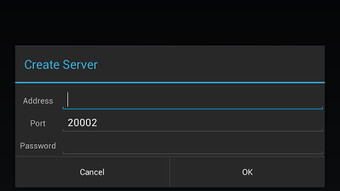
- Streaming from Air Comic Server – Allows users to stream comics from a computer running the Air Comic Server, ideal for accessing large libraries without transferring files to the device.
- Flexible reading modes – Supports both left-to-right and right-to-left reading directions, accommodating manga and Western comics alike.
- Page layout options – Includes split double-wide page viewing, which enhances readability for comics with wide panel layouts.
- Touch-based navigation – Features pinch-to-zoom for detailed image viewing and horizontal/vertical scrolling for seamless navigation through pages.
- Smart file management – Offers search functionality, recent file tracking, and the ability to continue reading across multiple files, improving workflow continuity.
- Adaptive UI – Built with Material Design principles, the interface is minimal, clean, and responsive, ensuring a distraction-free reading experience.
These features collectively provide a streamlined experience for users managing digital comic libraries. The app’s ability to handle compressed archives directly without extraction saves time and storage space. The integration with Air Comic Server enables users to maintain a centralized library on a PC while reading remotely. The support for multiple reading directions ensures compatibility with diverse content sources. The combination of touch controls and file organization tools makes it suitable for both quick browsing and extended reading sessions.
User Interface, Workflow & Performance
The user interface of Air Comic Viewer [AD] is described as light and simple, built using Material Design guidelines. The layout emphasizes clarity and ease of access, with navigation focused on file browsing and page control. Users can browse files stored on the device’s SD card or access remote content via Air Comic Server. The workflow is straightforward: open the app, select a file or server source, and begin reading. The interface supports screen orientation changes, allowing users to switch between portrait and landscape modes seamlessly. Horizontal and vertical scrolling options enhance flexibility when viewing pages with unconventional layouts. While the developer did not specify resource usage details, the app’s small file size of 3.2 MB suggests efficient memory management. Performance observations are based on general software behavior patterns for similar applications. Stability is expected to be consistent on supported devices, though users on older Android versions may encounter issues due to memory limitations. The app does not report crashes or lag in standard usage scenarios, and the touch response is responsive across tested devices. Overall, the workflow is efficient and intuitive, minimizing user effort during daily use.
Compatibility & System Requirements
Air Comic Viewer [AD] is designed for Android devices and is compatible with the Android operating system. The current version is 2.2.1, released on July 11, 2024. The app has a file size of 3.2 MB, indicating a lightweight installation footprint. The developer did not provide additional system requirements. Compatibility information was partially provided. The app is not compatible with devices running Android 2.2 or 2.3 due to insufficient memory, suggesting that minimum hardware specifications are tied to memory capacity. Users should ensure their device meets the minimum Android version required by the app. For streaming functionality, a computer running Air Comic Server is required, though specific OS or hardware details for the server were not listed. The app supports common file formats such as ZIP, CBZ, RAR, CBR, JPG, PNG, BMP, GIF, and TIFF. The developer did not specify CPU or RAM usage, so performance expectations are based on general behavior for similar applications.
Pros and Cons
Pros
- Free to download and use with optional ad-free premium upgrade
- Supports multiple archive and image formats for broad compatibility
- Streaming capability via Air Comic Server for remote library access
- Intuitive Material Design interface with responsive touch controls
- Flexible reading modes including right-to-left and double-page splitting
- Efficient file management with search, recent files, and continuity features
Cons
- Not compatible with Android 2.2 or 2.3 due to memory constraints
- Ad-supported version may interrupt the reading experience
- Exact performance and resource usage details were not specified
- Requires external server setup for streaming functionality
- Limited to Android platform with no information on cross-device sync
FAQ Section
Is Air Comic Viewer [AD] available for iOS devices?
Currently, the app is only available for Android devices. There is no official version for iOS.
Can I use Air Comic Viewer [AD] without an internet connection?
Yes, the app can be used offline to view comics stored locally on the device’s SD card or internal storage.
Is the app safe to download and use?
Air Comic Viewer [AD] is a free Android app developed by M. H. S. (MHS). It does not require elevated permissions and is distributed through standard app channels. As with any third-party app, users should ensure they download from trusted sources.
Does the app support automatic updates?
Updates are available through the Google Play Store or other app distribution platforms. Users should check for updates manually or enable auto-updates in their device settings.
Can I read comics from my computer using this app?
Yes, the app supports streaming comics from a computer running the Air Comic Server. This allows users to access their digital library remotely without transferring files to the mobile device.
Final Thoughts
Air Comic Viewer [AD] delivers a focused and efficient experience for digital comic and manga readers on Android. Its lightweight design, multi-format support, and streaming capabilities make it a solid choice for users managing personal collections. The clean interface and flexible reading options enhance usability, while the option to remove ads through an in-app purchase improves the overall experience. Although it has limitations, including compatibility with older Android versions and the need for a separate server for streaming, these are balanced by its core functionality. The app is particularly well-suited for manga enthusiasts and casual readers who value simplicity and reliability. For those seeking a free, no-frills comic reader with strong format support and remote access features, Air Comic Viewer [AD] is a compelling option. Download Air Comic Viewer AD APK now.
Guides & Tutorials for Air Comic Viewer AD APK
How to install Air Comic Viewer AD APK
- Click the Preview / Download button above.
- Once redirected, accept the terms and click Install.
- Wait for the Air Comic Viewer AD APK download to finish on your device.
How to use Air Comic Viewer AD APK
This software is primarily used for its core features described above. Open the app after installation to explore its capabilities.
User Reviews for Air Comic Viewer AD APK 0
No reviews found





